A high-quality webcam is no longer just an optional accessory. In today’s remote-first world, webcams play a critical role in business meetings, livestreaming, online teaching, podcasting, and YouTube content creation. Whether you’re attending daily Zoom calls, streaming on Twitch, creating tutorials for YouTube, or recording professional online courses, your webcam directly affects how people perceive your content and professionalism.
Built-in laptop webcams are still mediocre in 2026. Most suffer from poor lighting correction, blurry image quality, weak microphones, and inaccurate colors. Fortunately, modern premium webcams now deliver incredible improvements including:
- 4K Ultra HD video
- AI face tracking
- HDR support
- Low-light enhancement
- DSLR-like image quality
- Auto framing
- Background blur
- Gesture controls
- Noise-reduction microphones
The best webcam for you depends on your needs. Streamers prioritize smooth frame rates and tracking features. Remote workers need excellent clarity and dependable microphones. YouTubers often look for cinematic image quality and advanced autofocus.
To help you choose the right webcam, we tested and researched the top-rated models available for US consumers in 2026.
Best Webcam for Zoom Meetings, Streaming & YouTube
1. Logitech MX Brio — Best Overall Webcam


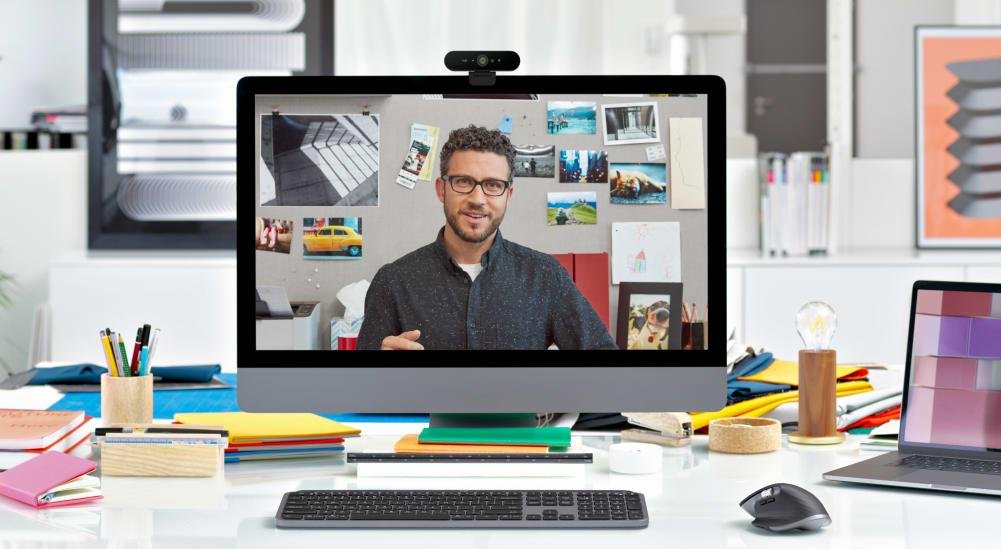
The Logitech MX Brio is one of the best premium webcams you can buy right now. It combines outstanding 4K video quality, professional-grade microphones, excellent HDR performance, and intelligent AI enhancements into one sleek package.
This webcam is ideal for professionals, creators, and streamers who want a polished and reliable setup without stepping into expensive DSLR territory.
Key Features
- 4K Ultra HD resolution
- AI image enhancement
- Dual beamforming microphones
- HDR support
- Excellent low-light performance
- Windows Hello compatibility
- USB-C connectivity
Why It Stands Out
The MX Brio delivers sharp, natural-looking video with impressive color accuracy. Its AI enhancements help maintain exposure balance even in difficult lighting conditions.
Unlike cheaper webcams that struggle in dim rooms, the MX Brio handles shadows and highlights extremely well. The autofocus system is also incredibly fast and reliable.
For Zoom meetings, the camera produces a polished professional look. For YouTube and streaming, it delivers enough detail and dynamic range to look nearly DSLR-quality in good lighting.
Best For
- Remote workers
- Hybrid office setups
- Professional Zoom meetings
- Content creators
- YouTube channels
- Livestreaming
Approximate US Price
$199–$229
2. Insta360 Link 2 — Best Webcam for YouTube Creators


The Insta360 Link 2 is one of the smartest webcams available in 2026. Designed specifically for creators, educators, and presenters, it features AI-powered tracking with a built-in motorized gimbal.
Instead of digitally cropping the image, the webcam physically rotates and follows your movements to keep you centered.
Main Features
- 4K resolution
- AI motion tracking
- Gesture controls
- Fast autofocus
- Desk view mode
- HDR video
- Excellent low-light handling
Performance
The image quality is stunning for a webcam. Colors appear natural and skin tones look accurate even in mixed lighting environments.
Its AI tracking is especially useful for YouTube creators who move around while presenting tutorials, unboxing products, cooking, or teaching online classes.
The desk mode is another standout feature because it can instantly tilt downward to show your workspace during demonstrations.
Best For
- YouTubers
- Online educators
- Tutorial creators
- Livestreamers
- Podcasters
- Remote teachers
Approximate US Price
$199–$249
3. OBSBOT Tiny 2 — Best Webcam for Streaming


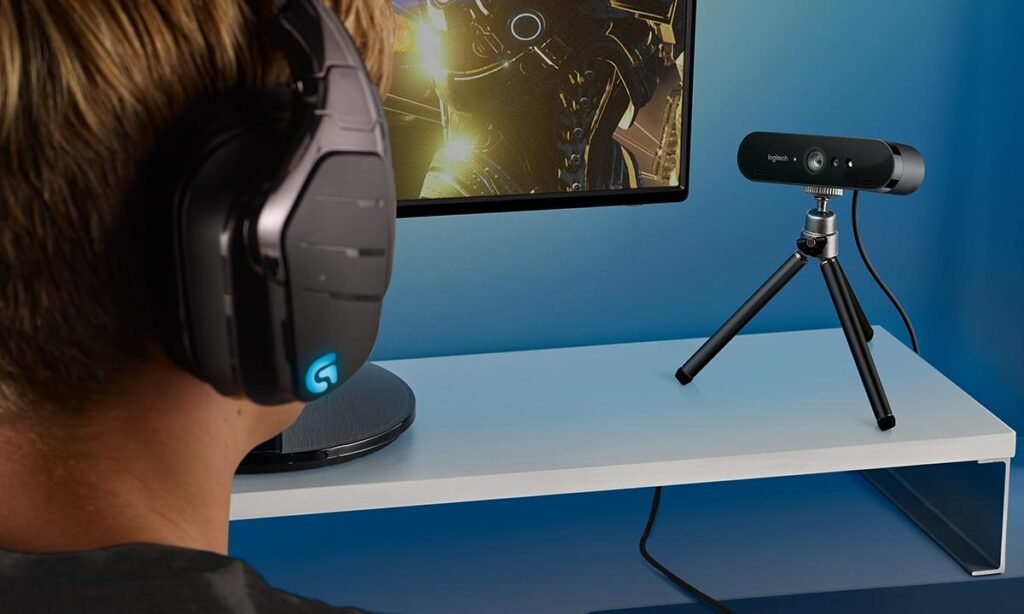
The OBSBOT Tiny 2 is one of the most advanced AI-powered webcams ever created. It’s especially popular among Twitch streamers, gaming creators, and professional presenters.
The webcam uses AI auto-tracking technology combined with a motorized PTZ (Pan-Tilt-Zoom) system to follow your movements smoothly and naturally.
Features
- 4K Ultra HD resolution
- AI subject tracking
- Gesture controls
- PTZ motorized movement
- HDR support
- Excellent autofocus
- Superb low-light quality
Why Streamers Love It
Traditional webcams remain static, but the Tiny 2 dynamically tracks your face and movement during streams. This creates a more professional and engaging viewer experience.
The tracking is smooth, accurate, and surprisingly responsive. The image quality itself is also excellent, with strong detail and vibrant colors.
For gaming setups and creator studios, the Tiny 2 is one of the best webcam investments available.
Best For
- Twitch streamers
- Gaming creators
- Fitness instructors
- Livestreaming
- Online presentations
- Interactive classes
Approximate US Price
$269–$329
4. Razer Kiyo Pro Ultra — Best Webcam for Low-Light Performance


The Razer Kiyo Pro Ultra delivers some of the best low-light image quality ever seen in a webcam.
Unlike standard webcams that use tiny sensors, the Kiyo Pro Ultra features a much larger sensor capable of capturing significantly more light. This results in cleaner images, reduced noise, and better background separation.
Key Specifications
- Large Sony sensor
- 4K-quality imaging
- HDR support
- DSLR-like background blur
- Excellent facial detail
- Advanced autofocus
Real-World Performance
If you stream or record videos in darker rooms, this webcam performs exceptionally well.
It creates rich colors, smoother skin tones, and more cinematic depth compared to standard webcams.
Many creators use it as a DSLR replacement for YouTube talking-head videos because the image quality is genuinely impressive.
Best For
- Low-light rooms
- Nighttime streaming
- YouTube recording
- Professional creators
- Podcast studios
Approximate US Price
$249–$299
5. Logitech Brio 4K — Best Webcam for Business Meetings


The Logitech Brio 4K remains one of the most trusted business webcams on the market.
Although newer models exist, the Brio continues to deliver excellent reliability, sharp video quality, and broad compatibility with business conferencing platforms.
Top Features
- 4K Ultra HD video
- HDR enhancement
- Adjustable field of view
- Windows Hello support
- Excellent compatibility
- Reliable autofocus
Why Professionals Still Love It
The Brio works exceptionally well for Zoom, Microsoft Teams, Google Meet, and Skype.
Its HDR performance helps maintain balanced exposure during bright office lighting or window-heavy setups.
The Windows Hello feature is also highly convenient for secure facial login support.
Best For
- Corporate meetings
- Business conferencing
- Office setups
- Zoom calls
- Professional workspaces
Approximate US Price
$149–$199
6. Anker PowerConf C200 — Best Budget Webcam


If you want a major upgrade over your laptop webcam without spending hundreds of dollars, the Anker PowerConf C200 is one of the best budget webcams available.
Despite its affordable price, it offers surprisingly strong image quality and excellent value.
Features
- 2K video resolution
- Dual stereo microphones
- Adjustable field of view
- Built-in privacy cover
- AI noise reduction
- Compact design
Performance
The C200 performs very well for remote work, online classes, and casual streaming.
Its image quality is noticeably sharper than most built-in laptop cameras, and the microphones sound clear for video conferencing.
For under $100, it’s one of the best webcam values available in the US market.
Best For
- Students
- Budget buyers
- Remote workers
- Online classes
- Casual streaming
Approximate US Price
$55–$75
Webcam Comparison Table
| Webcam | Resolution | AI Tracking | Low-Light Quality | Best Use | Approximate Price |
|---|---|---|---|---|---|
| Logitech MX Brio | 4K | No | Excellent | Overall use | $199–$229 |
| Insta360 Link 2 | 4K | Yes | Excellent | YouTube | $199–$249 |
| OBSBOT Tiny 2 | 4K | Yes | Excellent | Streaming | $269–$329 |
| Razer Kiyo Pro Ultra | 4K | No | Outstanding | Low-light creators | $249–$299 |
| Logitech Brio 4K | 4K | No | Very Good | Business meetings | $149–$199 |
| Anker PowerConf C200 | 2K | No | Good | Budget users | $55–$75 |
How to Choose the Right Webcam
1. Resolution Matters
If you create YouTube content or livestream regularly, choose a 4K webcam for sharper detail and better flexibility while editing.
For casual Zoom calls, even a quality 1080p webcam is sufficient.
2. Lighting Is Extremely Important
Even the best webcam looks bad in poor lighting.
Adding a simple ring light or desk lamp can dramatically improve video quality.
3. AI Features Can Improve Your Setup
Modern webcams now include:
- Face tracking
- Auto framing
- Gesture controls
- Background blur
- Exposure balancing
These features make videos look more professional with minimal effort.
4. Microphone Quality Still Matters
If you don’t own a dedicated microphone, look for webcams with strong built-in audio performance.
Business users especially benefit from noise-reduction microphones.
5. Autofocus Quality Makes a Huge Difference
Cheap webcams often lose focus or create blurry images during movement.
Premium webcams maintain sharp focus more reliably.
Are Expensive Webcams Worth It?
For many people, absolutely.
A good webcam improves:
- Professional appearance
- Viewer engagement
- Video clarity
- Skin tones
- Streaming quality
- Lighting balance
If you spend hours in online meetings or create content regularly, a premium webcam is a worthwhile long-term investment.
Best Webcam by Category
Best Overall Webcam
Logitech MX Brio
Best Webcam for YouTube
Insta360 Link 2
Best Webcam for Streaming
OBSBOT Tiny 2
Best Webcam for Low-Light Rooms
Razer Kiyo Pro Ultra
Best Webcam for Business Meetings
Logitech Brio 4K
Best Budget Webcam
Anker PowerConf C200
Final Verdict
The webcam market in 2026 is more competitive than ever, and there are excellent options available for every type of user.
If you want the best all-around webcam, the Logitech MX Brio delivers the perfect mix of professional quality, reliability, and ease of use.
For creators and streamers, the Insta360 Link 2 and OBSBOT Tiny 2 stand out thanks to their AI tracking systems and creator-focused features.
Meanwhile, the Razer Kiyo Pro Ultra remains the king of low-light image quality and cinematic webcam performance.
No matter which model you choose, upgrading from your built-in laptop webcam will instantly improve your Zoom meetings, YouTube videos, livestreams, and overall online presence.