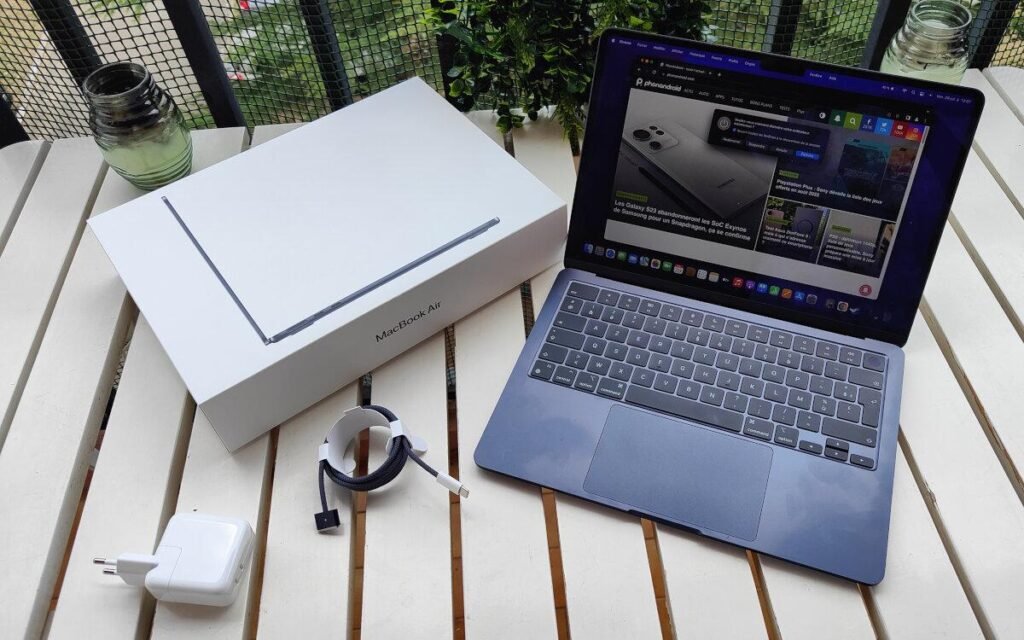
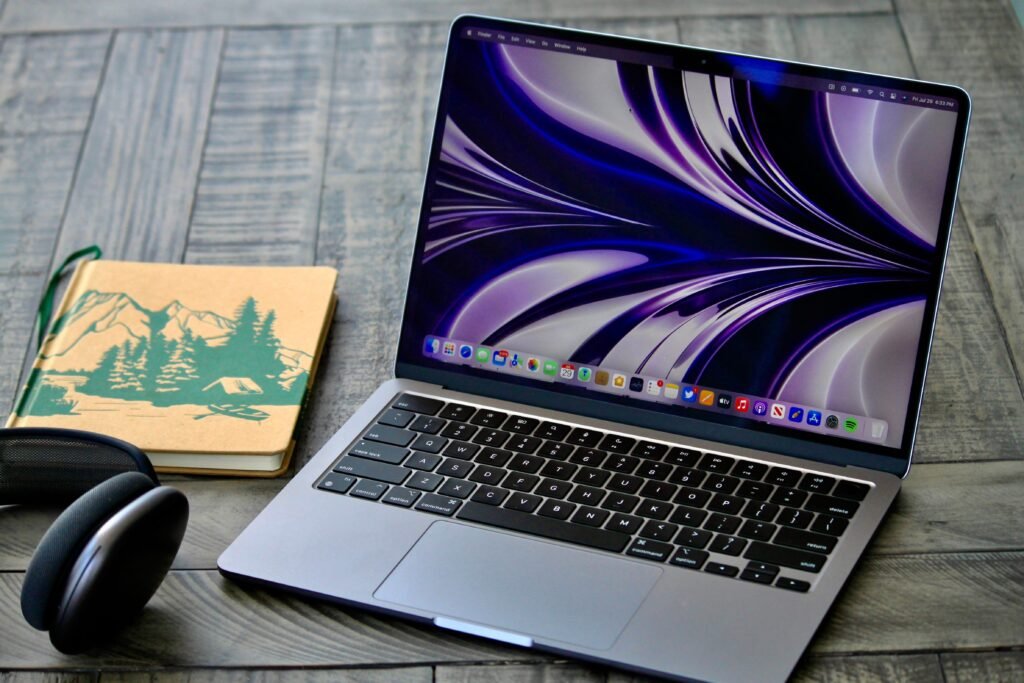
The Apple MacBook Air M2 launched back in 2022, but in 2026 it remains one of the most recommended ultraportable laptops for students, professionals, creators, and everyday users.
Even with newer MacBooks powered by M3, M4, and M5 chips entering the market, the MacBook Air M2 still offers something incredibly important: excellent real-world performance at a much lower price.
For many buyers in the United States, the question is no longer whether the M2 Air is good — because it clearly still is. The real question is:
Does it still make sense to buy in 2026?
The answer is yes — for the right buyer.
If you want:
- A premium lightweight laptop
- Outstanding battery life
- Reliable everyday performance
- Long-term software support
- Excellent build quality
then the MacBook Air M2 is still absolutely worth considering in 2026.
However, there are also a few reasons why some people should skip it and buy a newer MacBook instead.
In this detailed guide, we’ll cover:
- Real-world performance
- Battery life
- Display quality
- Gaming and creative workloads
- macOS support longevity
- Best configurations to buy
- Who should and shouldn’t buy it
- Whether refurbished models are worth it
- M2 vs M3 vs M5 comparisons
- Best prices in USD for US buyers
Quick Verdict
The MacBook Air M2 is still one of the best laptops under $1,000 in 2026.
It remains an outstanding choice for:
- Students
- Office users
- Remote workers
- Writers
- Travelers
- Casual creators
The most important thing is choosing the correct configuration.
Recommended Configuration in 2026
- 16GB RAM
- 512GB SSD
That setup provides the best balance of:
- Performance
- Longevity
- Multitasking
- Future-proofing
If you can find the M2 Air heavily discounted compared to newer MacBooks, it becomes one of the best value laptops on the market.
MacBook Air M2 Overview
13-inch MacBook Air M2


Typical US Pricing in 2026
| Configuration | Average US Price |
|---|---|
| 8GB RAM / 256GB SSD | $699–$849 |
| 16GB RAM / 256GB SSD | $899–$1,049 |
| 16GB RAM / 512GB SSD | $1,099–$1,299 |
Refurbished models often cost significantly less.
Why the MacBook Air M2 Still Matters in 2026
The M2 Air introduced one of Apple’s biggest MacBook redesigns in years.
Compared to the older M1 Air, Apple added:
- A thinner modern chassis
- MagSafe charging
- Better speakers
- Brighter display
- Improved webcam
- Faster Apple Silicon performance
The impressive part is that the laptop still feels modern even four years later.
Apple continues using very similar design language on newer Air models, which helps the M2 Air avoid feeling outdated.
Design & Build Quality
Still One of the Best-Looking Laptops


One reason the MacBook Air M2 continues to age so well is its premium design.
The laptop remains:
- Thin
- Lightweight
- Durable
- Portable
- Minimalistic
At only about 2.7 pounds, it’s still one of the easiest laptops to carry daily.
For college students and frequent travelers, portability remains one of its biggest advantages.
Available Colors
- Midnight
- Silver
- Starlight
- Space Gray
Midnight remains the most popular color, although it still attracts fingerprints more easily than the others.
Display Quality
The Liquid Retina Display Still Looks Fantastic


The MacBook Air M2 features a 13.6-inch Liquid Retina display that still looks excellent in 2026.
Key strengths include:
- Sharp resolution
- Vibrant colors
- Great brightness
- Thin bezels
- True Tone support
The display remains ideal for:
- Netflix
- YouTube
- Office work
- Browsing
- School work
- Photo editing
What You Don’t Get
The M2 Air does not include:
- OLED
- Mini-LED
- 120Hz ProMotion
Some newer premium laptops now offer higher refresh rates and deeper HDR performance, but most everyday users still find the M2 Air display excellent.
Performance in 2026
Is the M2 Chip Still Fast Enough?


Absolutely.
The M2 chip still delivers excellent performance for most users in 2026.
It easily handles:
- Web browsing
- Microsoft Office
- Google Workspace
- Video streaming
- Zoom meetings
- Coding
- Light creative work
- Multitasking
For basic and moderate workloads, the difference between the M2 and newer M3/M5 chips often feels much smaller than benchmark scores suggest.
Everyday Performance
Great for Students
The MacBook Air M2 remains one of the best student laptops in America.
Why students still love it:
- Long battery life
- Lightweight design
- Silent operation
- Excellent keyboard
- Reliable performance
It handles:
- Online classes
- Research
- Writing assignments
- Presentations
- Media consumption
with ease.
Excellent for Remote Work
The M2 Air is also fantastic for:
- Slack
- Microsoft Teams
- Zoom
- Excel
- PowerPoint
- Email workflows
Even with multiple tabs and apps open simultaneously, performance stays smooth.
Very Good for Coding
Developers using:
- VS Code
- Xcode
- Python
- Frontend tools
- Web development environments
will generally have a great experience.
However, developers working with:
- Virtual machines
- Docker containers
- Heavy multitasking
should strongly consider the 16GB RAM version.
Good for Content Creation
The M2 Air still handles:
- Lightroom
- Photoshop
- Canva
- Final Cut Pro
- Social media editing
quite well.
However, because the MacBook Air is fanless, long rendering sessions can cause thermal throttling.
Professional creators working heavily with:
- 4K/8K editing
- 3D rendering
- Motion graphics
should look at MacBook Pro models instead.
Battery Life
Still One of the Best Battery Performers


Battery life is one of the biggest reasons the M2 Air remains relevant in 2026.
Typical real-world battery performance:
- 10–15 hours for normal use
- 6–8 hours for heavier workloads
That is still exceptional for a thin ultraportable laptop.
Many Windows competitors continue struggling to match Apple’s battery efficiency.
For students and travelers, this alone can justify buying the M2 Air.
Keyboard, Trackpad & Speakers
Apple Still Dominates Here
Keyboard
The keyboard remains:
- Comfortable
- Responsive
- Quiet
- Reliable
Long typing sessions feel excellent.
Trackpad
The MacBook Air M2 still offers one of the best laptop trackpads available.
Gesture support in macOS remains incredibly smooth.
Speakers
The speakers are surprisingly powerful for such a thin laptop.
You get:
- Clear vocals
- Rich sound
- Strong bass
- Spatial audio support
Movies and music sound fantastic.
Ports & Connectivity
One of the Biggest Weaknesses


The MacBook Air M2 includes:
- 2 Thunderbolt / USB-C ports
- MagSafe charging
- Headphone jack
That’s still fairly limited in 2026.
Many users will eventually need:
- USB-C hubs
- Dongles
- Docking stations
If you regularly use:
- SD cards
- External displays
- USB-A accessories
you may find the limited ports frustrating.
Gaming on the MacBook Air M2
Better Than Older Macs — But Still Limited
Gaming on Macs has improved significantly, but the M2 Air is not a gaming laptop.
It handles:
- Minecraft
- Apple Arcade games
- Indie titles
- Some AAA ports
reasonably well.
However:
- macOS game support remains limited
- Thermal throttling appears during long sessions
- Windows gaming laptops remain much better for gamers
If gaming is a priority, a Windows laptop is usually the better choice.
The 8GB RAM Problem
Why You Should Avoid the Base Model
This is one of the most important buying considerations in 2026.
The base 8GB RAM configuration is becoming increasingly limiting for:
- Heavy Chrome usage
- AI tools
- Creative applications
- Advanced multitasking
- Future macOS updates
While 8GB still works for basic users, it is not ideal for long-term ownership anymore.
Best Configuration for Most People
- 16GB RAM
- 512GB SSD
This setup provides far better future-proofing.
SSD Speed Concerns
The original 256GB MacBook Air M2 received criticism because Apple used a slower SSD configuration compared to some earlier models.
For most people, this is not a major issue.
However, users working with:
- Large files
- Video editing
- Heavy transfers
will notice better performance on the 512GB model.
macOS Support & Longevity
How Long Will the M2 Air Last?
Apple generally supports MacBooks for many years.
The MacBook Air M2 should realistically receive:
- macOS updates until around 2029–2031
- Additional security support after that
That’s excellent longevity compared to many Windows laptops.
For buyers wanting a laptop that lasts 5–7 years, the M2 Air is still a strong option.
MacBook Air M2 vs M3 vs M5
Should You Buy the M2 Instead of a Newer Air?
It depends entirely on pricing.
If the newer M3 or M5 models are only slightly more expensive, they may offer better long-term value.
However, if the M2 Air is discounted by several hundred dollars, it becomes extremely attractive.
Comparison Table
| Feature | MacBook Air M2 | MacBook Air M3 | MacBook Air M5 |
|---|---|---|---|
| Launch Year | 2022 | 2024 | 2026 |
| Typical US Price | $699–$1,299 | $999–$1,499 | $1,199–$1,699 |
| Performance | Excellent | Faster | Fastest |
| Battery Life | Excellent | Excellent | Excellent |
| AI Performance | Good | Better | Best |
| Gaming | Decent | Better | Strongest |
| Thermal Design | Fanless | Fanless | Fanless |
| Best For | Budget buyers | Balanced users | Power users |
| Value in 2026 | Outstanding | Very Good | Premium |
Who Should Buy the MacBook Air M2?
Buy It If You Are:
A Student
Still one of the best college laptops available.
A Writer or Office User
Perfect for productivity and multitasking.
A Remote Worker
Great webcam, speakers, battery life, and portability.
A Casual Creator
Excellent for light editing workloads.
A Budget-Conscious Apple Buyer
Especially when discounted or refurbished.
Who Should Skip the M2 Air?
You Should Probably Avoid It If:
You Need Heavy Professional Power
Video editors and 3D artists should buy a MacBook Pro.
You Want Maximum AI Performance
Newer M-series chips are more optimized for AI workloads.
You Need More Ports
The limited connectivity can be frustrating.
You Want High Refresh Rate Displays
The 60Hz panel may feel dated to some users.
Refurbished MacBook Air M2: Worth Buying?
Yes — Very Much


Refurbished MacBook Air M2 models are some of the best laptop deals in 2026.
Typical refurbished prices:
- $600–$850
At those prices, the M2 Air often delivers far better value than many new Windows ultrabooks.
What to Check Before Buying
- Battery health
- Warranty coverage
- Seller reputation
- Return policy
Biggest Reasons the MacBook Air M2 Is Still Worth Buying
1. Incredible Battery Life
2. Premium Build Quality
3. Excellent Portability
4. Silent Fanless Design
5. Reliable Everyday Performance
6. Strong macOS Ecosystem
Works beautifully with:
- iPhone
- AirPods
- iPad
- Apple Watch
Biggest Reasons NOT to Buy It
1. 8GB RAM Is Aging Poorly
2. Limited Ports
3. No 120Hz Display
4. Thermal Throttling Under Heavy Loads
5. Gaming Still Trails Windows Laptops
Best MacBook Air M2 Configurations in 2026
Best Budget Option
8GB RAM / 256GB SSD
Best for:
- Students
- Casual users
- Writing
- Basic office work
Recommended only if under:
- $750
Best Overall Value
16GB RAM / 512GB SSD
This is the ideal configuration for most buyers.
Best balance of:
- Performance
- Longevity
- Multitasking
- Future-proofing
Best Refurbished Deal
Refurbished 16GB Model
Excellent value if:
- Battery health is strong
- Warranty is included
Final Verdict: Is the MacBook Air M2 Still Worth It in 2026?
Yes — the MacBook Air M2 remains one of the smartest laptop purchases in 2026.
Even years after launch, it still delivers:
- Premium design
- Excellent battery life
- Fast everyday performance
- Great portability
- Reliable macOS experience
For students, professionals, writers, travelers, and casual creators, it continues to be one of the best value laptops in the Apple ecosystem.
The key is buying the right version.
Best Advice for Buyers
- Avoid the 8GB model if possible
- Choose 16GB RAM for longevity
- Consider refurbished deals
- Compare prices carefully against newer MacBook Air models
If you can get the MacBook Air M2 at a good discount in the US market, it remains an outstanding laptop choice in 2026.