Digital note-taking has completely transformed how students learn, organize, and study. In 2026, the best tablets are more than just entertainment devices — they’re powerful productivity tools that can replace notebooks, organize lecture materials, annotate PDFs, record classes, and even function as lightweight laptops.
Whether you’re a college student, graduate student, medical student, engineering major, or someone preparing for competitive exams, choosing the right tablet can significantly improve your workflow and study efficiency.
The ideal tablet for note-taking should offer:
- A responsive stylus
- Long battery life
- A comfortable display
- Great multitasking
- Reliable note-taking apps
- Strong ecosystem support
For US students, factors like Apple ecosystem integration, Android flexibility, or Windows productivity can also make a huge difference.
This guide covers the best tablets for studying in 2026 across every budget and use case.
Quick Comparison: Best Tablets for Students in 2026
| Tablet | Best For | Display | Stylus Included | Battery Life | Starting Price |
|---|---|---|---|---|---|
| Apple iPad Air (M3) | Best overall | 11-inch Liquid Retina | No | Excellent | $599 |
| Samsung Galaxy Tab S10 Ultra | Best Android tablet | 14.6-inch AMOLED | Yes | Excellent | $999 |
| OnePlus Pad 2 | Best value | 12.1-inch LCD | Optional | Excellent | $549 |
| Microsoft Surface Pro | Best laptop replacement | 13-inch PixelSense | Optional | Very Good | $999 |
| reMarkable Paper Pro | Best for distraction-free writing | 11.8-inch paper display | Yes | Outstanding | $579 |
| Redmi Pad 2 | Best budget option | 11-inch LCD | Limited | Good | $249 |
Best Overall Tablet for Note-Taking
Apple iPad Air (M3)


The Apple iPad Air continues to dominate the student tablet market in 2026 because it balances performance, portability, battery life, and software support better than almost any other device.
Powered by Apple’s M3 chip, the iPad Air is fast enough for multitasking, online classes, handwritten notes, video editing, and intensive study sessions. Most students will never fully utilize its performance ceiling.
Where the iPad Air truly shines is the Apple Pencil experience. Writing feels natural, smooth, and incredibly responsive. Combined with apps like GoodNotes, Notability, Nebo, and Apple Notes, it becomes one of the best digital notebooks available today.
US students especially benefit from Apple ecosystem integration. Notes sync instantly across MacBooks, iPhones, and iPads through iCloud, making workflows seamless.
Key Features
- M3 chip performance
- Apple Pencil Pro support
- Excellent app ecosystem
- Lightweight design
- Outstanding software support
- Excellent battery life
Why Students Love It
- Smooth handwriting experience
- Best note-taking apps
- Reliable multitasking
- Long lifespan
- Great portability
Downsides
- Apple Pencil sold separately
- Accessories are expensive
- Base storage may feel limited
Best For
- College students
- Medical students
- Business students
- Students already using Apple devices
US Pricing
- iPad Air: Starting at $599
- Apple Pencil Pro: Around $129
Best Android Tablet for Students
Samsung Galaxy Tab S10 Ultra


If you prefer Android, the Samsung Galaxy Tab S10 Ultra is arguably the most premium student tablet available today.
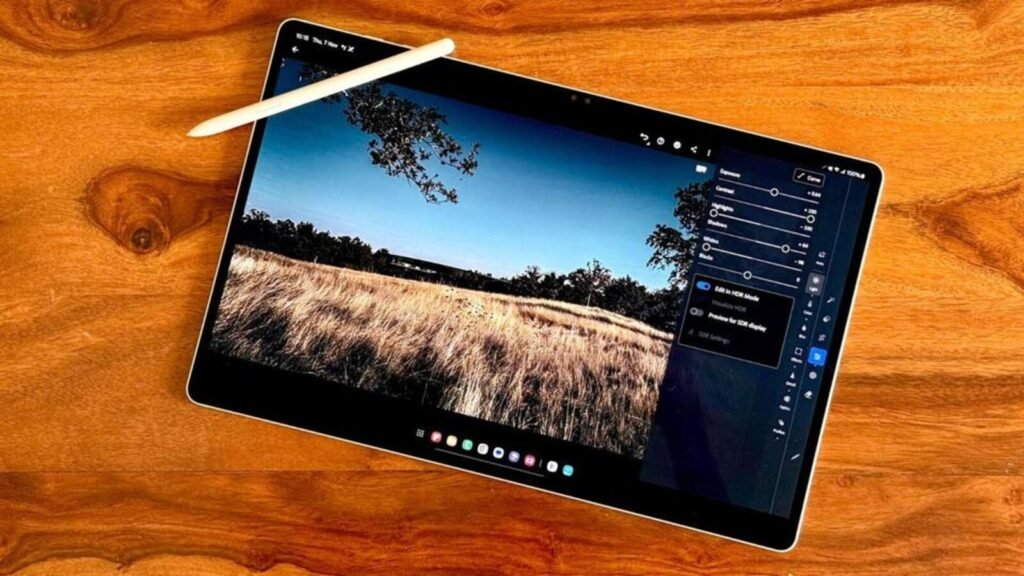
The gigantic AMOLED display is incredible for multitasking, reading textbooks, editing documents, and watching recorded lectures. Samsung’s S Pen is included in the box and offers one of the best writing experiences available on any tablet.
Samsung Notes has evolved into an excellent productivity app with AI-assisted organization, handwriting conversion, and PDF markup tools.
Samsung DeX is another major advantage. It creates a desktop-style experience that feels much closer to using a laptop.
Key Features
- Massive AMOLED display
- Included S Pen
- Samsung DeX support
- Expandable storage
- Excellent multitasking
Why It’s Great for Students
- Great split-screen multitasking
- Perfect for PDF annotation
- Excellent display quality
- Strong battery performance
Downsides
- Large size may not suit everyone
- Premium pricing
- Some Android tablet apps remain less optimized than iPadOS
Best For
- Engineering students
- Design students
- Android power users
- Multitasking-heavy workflows
US Pricing
- Starting around $999
Best Value Tablet for Students
OnePlus Pad 2


The OnePlus Pad 2 delivers flagship-like performance at a significantly lower price than many premium competitors.
For students who want excellent performance without spending iPad Pro-level money, this tablet is one of the best choices in 2026.
Its Open Canvas multitasking system makes switching between lecture videos, notes, browser tabs, and PDFs incredibly fluid.
Battery life is excellent and fast charging is among the best in its category.
Key Features
- Excellent performance
- Great battery life
- Fast charging
- Smooth multitasking
- Bright high-refresh-rate display
Advantages
- Strong value for money
- Great for online learning
- Excellent media experience
- Reliable daily performance
Downsides
- Stylus support not as polished as Apple or Samsung
- Smaller app ecosystem optimization
Best For
- Budget-conscious college students
- Android users
- Students wanting premium features at lower prices
US Pricing
- Starting around $549
Best Tablet-Laptop Hybrid
Microsoft Surface Pro


The Microsoft Surface Pro remains the best tablet for students who need a genuine laptop replacement.
Unlike iPadOS and Android tablets, the Surface Pro runs full Windows 11 desktop software. This is especially important for engineering, programming, architecture, business, and design students.
Applications like:
- Full Microsoft Office
- Adobe Creative Cloud
- Coding software
- Statistical tools
- Engineering programs
…work just like they would on a traditional laptop.
The Surface Slim Pen combined with OneNote creates an excellent handwritten note-taking experience.
Key Features
- Full Windows 11 experience
- Desktop-class software support
- Excellent keyboard accessories
- Great multitasking
- Strong productivity features
Advantages
- Can fully replace a laptop
- Best for advanced coursework
- Excellent for typing assignments
- Strong productivity ecosystem
Downsides
- Expensive accessories
- Battery life trails iPad Air
- Heavier than traditional tablets
Best For
- Engineering students
- Computer science students
- Business students
- Productivity-focused users
US Pricing
- Starting around $999
- Keyboard and stylus sold separately
Best Paper-Like Writing Tablet
reMarkable Paper Pro


The reMarkable Paper Pro is not designed to compete directly with iPads or Android tablets. Instead, it focuses almost entirely on delivering the best handwriting experience possible.
Its paper-like display feels remarkably close to real paper, which many students prefer during long note-taking sessions.
Because it removes distractions like games, social media, and unnecessary apps, it helps students stay focused during studying.
Key Features
- Paper-like writing feel
- Minimal distractions
- Excellent battery life
- Lightweight design
- Great PDF reading experience
Advantages
- Comfortable long writing sessions
- Focused academic environment
- Extremely clean interface
Downsides
- Limited app ecosystem
- Not ideal for entertainment
- Premium pricing for a specialized device
Best For
- Writers
- Law students
- Literature students
- Students who prefer handwritten workflows
US Pricing
- Starting around $579
Best Budget Tablet Under $300
Redmi Pad 2


Students on tight budgets do not necessarily need premium tablets.
The Redmi Pad 2 handles:
- Online classes
- PDF reading
- Web browsing
- Video lectures
- Casual note-taking
…quite well for its price range.
While it lacks the advanced stylus support and multitasking capabilities of premium devices, it remains one of the better affordable study tablets available.
Key Features
- Affordable pricing
- Decent display
- Good battery life
- Lightweight design
Advantages
- Excellent budget option
- Good for basic studying
- Reliable media consumption
Downsides
- Limited stylus support
- Slower multitasking
- Not ideal for advanced productivity
Best For
- High school students
- Casual learners
- Budget-conscious buyers
US Pricing
- Starting around $249
How to Choose the Best Tablet for Studying
1. Consider Your Major
Liberal Arts & Business Students
An iPad Air or OnePlus Pad is usually more than enough.
Engineering & Programming Students
A Surface Pro may be better because of Windows software compatibility.
Art & Design Students
The Galaxy Tab S10 Ultra and iPad Air are excellent choices due to superior stylus support.
Important Features to Look For
Stylus Quality
Low latency and strong palm rejection are essential for natural handwriting.
Battery Life
Students need all-day battery performance without constantly carrying chargers.
Display Quality
A sharp, bright display reduces eye strain during long study sessions.
App Ecosystem
GoodNotes, Notability, OneNote, Samsung Notes, and Nebo remain among the best note-taking apps in 2026.
Keyboard Support
Helpful for essays, research papers, and productivity tasks.
Best Note-Taking Apps for Students
GoodNotes
Excellent handwriting tools, organization, and PDF annotation.
Notability
Great for recording lectures while writing notes.
OneNote
Ideal for Windows and cross-platform workflows.
Samsung Notes
One of the best Android note-taking apps available today.
Nebo
Outstanding handwriting-to-text conversion features.
Tablet vs Laptop for Students
Tablets are now capable of replacing laptops for many students.
A tablet may fully replace a laptop if you mainly:
- Take notes
- Read PDFs
- Watch lectures
- Write essays
- Attend online classes
However, advanced majors involving:
- Coding
- Engineering
- Architecture
- Heavy video editing
…may still require a full laptop or Windows hybrid device.
Best Accessories for Student Tablets
Stylus
Essential for digital handwriting.
Keyboard Case
Useful for assignments and productivity.
Matte Screen Protector
Improves writing feel by mimicking paper texture.
Cloud Storage
Google Drive, OneDrive, and iCloud are extremely useful for backups and syncing.
Final Verdict
The best tablet for note-taking and studying depends on your academic needs, budget, and preferred ecosystem.
Here’s the simple breakdown:
- Best Overall: Apple iPad Air
- Best Android Tablet: Samsung Galaxy Tab S10 Ultra
- Best Value: OnePlus Pad 2
- Best Laptop Replacement: Microsoft Surface Pro
- Best Paper-Like Writing Experience: reMarkable Paper Pro
- Best Budget Option: Redmi Pad 2
If you’re a student in the US looking for a long-term productivity investment, a good tablet can dramatically improve organization, efficiency, and study quality throughout school and college.
Frequently Asked Questions
Which tablet is best for handwritten notes?
The iPad Air with Apple Pencil Pro and Samsung Galaxy Tab S10 Ultra with S Pen are among the best options available today.
Is an iPad worth it for college students?
Yes. The iPad ecosystem offers outstanding note-taking apps, long software support, and excellent performance.
Are Android tablets good for studying?
Absolutely. Samsung and OnePlus tablets now offer excellent productivity and multitasking features.
Can a tablet replace a laptop?
For many students, yes. But advanced majors may still require desktop software available on laptops.
What tablet size is best for note-taking?
11-inch to 13-inch tablets provide the best balance between portability and writing space.