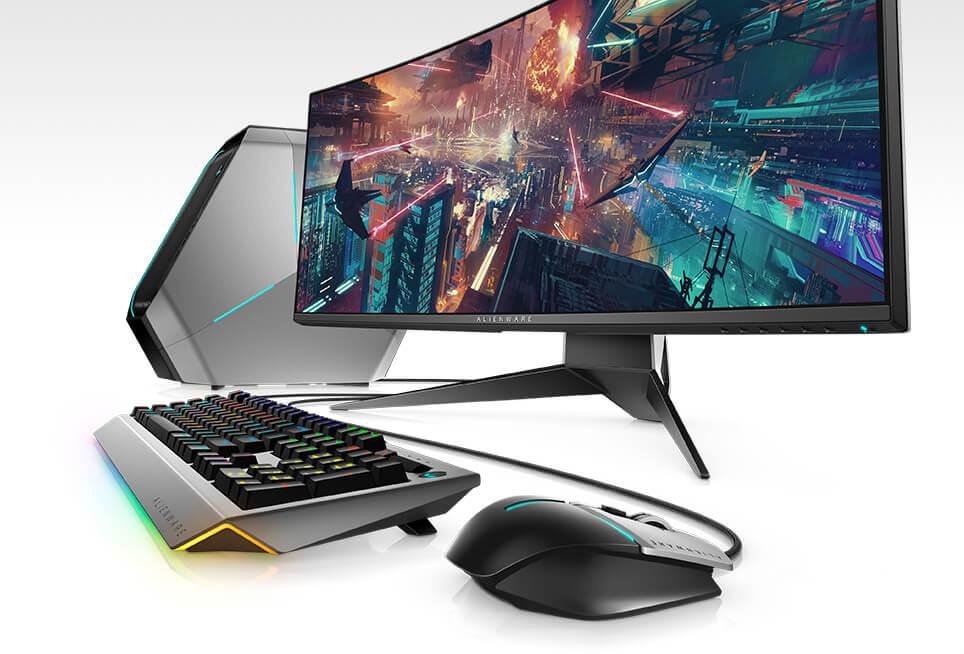
Ultrawide monitors have become one of the most popular upgrades for gamers, remote workers, programmers, video editors, and multitaskers in 2026. A good ultrawide display can completely transform your desk setup by giving you more screen space, better immersion, and cleaner multitasking without needing dual monitors.
The best part? You no longer need to spend $1,000+ to get an excellent ultrawide monitor. Today, there are several fantastic ultrawide monitors under $500 that offer high refresh rates, sharp 3440×1440 resolution, curved panels, HDR support, USB-C connectivity, and premium gaming features.
In this detailed buying guide, we’ll cover the best budget ultrawide monitors under $500 for US consumers, including gaming monitors, productivity-focused displays, and all-around value picks.
Why Buy an Ultrawide Monitor in 2026?
Before jumping into the recommendations, it’s important to understand why ultrawide monitors have become so popular.
Unlike traditional 16:9 displays, ultrawide monitors use a 21:9 aspect ratio. This gives you dramatically more horizontal screen space, making everything from gaming to productivity more immersive and efficient.
Benefits of ultrawide monitors include:
- Better multitasking
- More immersive gaming
- Cleaner desk setup
- Improved productivity
- Better video editing workflow
- Easier spreadsheet management
- More cinematic entertainment experience
Instead of using two separate monitors with bezels in the middle, a single ultrawide display provides a seamless experience.
What to Look for in a Budget Ultrawide Monitor
Buying the right ultrawide monitor involves more than just screen size. Here are the most important things to consider.
Resolution
For 34-inch ultrawide monitors, the sweet spot is:
3440×1440 (WQHD)
This resolution delivers:
- Sharp text clarity
- Better multitasking
- Excellent gaming visuals
- More workspace
Avoid 2560×1080 ultrawide monitors unless you’re on a very tight budget.
Refresh Rate
Refresh rate is especially important for gaming.
Recommended refresh rates:
- 100Hz = Good
- 120Hz = Great
- 144Hz = Excellent
- 160Hz+ = Premium smoothness
For productivity users, even 75Hz or 100Hz feels smoother than standard 60Hz monitors.
Panel Type
IPS Panels
Best for:
- Color accuracy
- Content creation
- Bright rooms
- Creative professionals
VA Panels
Best for:
- Deep blacks
- Higher contrast
- Better movie watching
- Immersive gaming
Most budget ultrawide monitors under $500 use VA panels.
Curved vs Flat
Curved ultrawide monitors are generally better because they:
- Improve immersion
- Reduce eye movement
- Make large screens feel more natural
Flat ultrawides can still work well for office tasks and spreadsheets.
Best Overall Budget Ultrawide Monitor Under $500
LG 34-Inch UltraWide QHD Gaming Monitor


Estimated US Price: $349–$449
The LG 34-inch UltraWide remains one of the best all-around ultrawide monitors you can buy under $500.
It perfectly balances:
- Gaming performance
- Productivity
- Color quality
- Value for money
Key specifications:
- 34-inch curved display
- 3440×1440 resolution
- 160Hz refresh rate
- AMD FreeSync support
- HDR support
- 1ms response time
The monitor works wonderfully for:
- PC gaming
- Video editing
- Programming
- Streaming
- Office work
LG also has excellent display tuning, making colors look vibrant and accurate even at this price point.
If you want one monitor that does everything well, this is probably the safest choice.
Best Budget Ultrawide Gaming Monitor
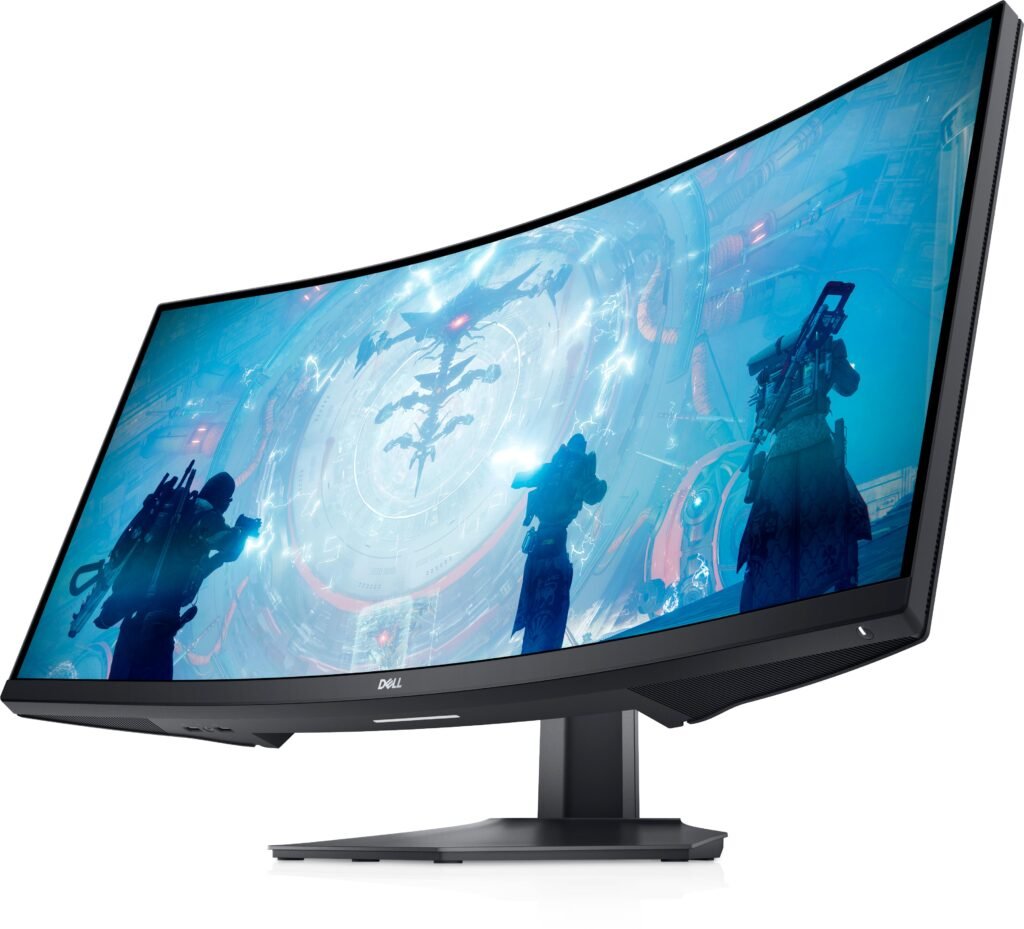
Dell S3422DWG


Estimated US Price: $399–$479
The Dell S3422DWG is one of the most recommended gaming ultrawide monitors in the budget category.
It delivers:
- Excellent motion handling
- Strong contrast
- Immersive curved design
- Smooth gaming performance
Key features include:
- 144Hz refresh rate
- WQHD resolution
- HDR400 support
- FreeSync Premium
- VA panel with deep blacks
This monitor is especially good for:
- FPS gaming
- Racing games
- RPGs
- Open-world games
Games like Cyberpunk 2077, Forza Horizon, and Red Dead Redemption 2 look fantastic on this display.
The contrast ratio is noticeably stronger than many IPS competitors, which helps dark scenes look richer and more cinematic.
Best Value Ultrawide Monitor
Gigabyte GS34WQC


Estimated US Price: $299–$399
Gigabyte has become one of the best value monitor brands in recent years.
The GS34WQC offers impressive specifications at a surprisingly affordable price.
Highlights include:
- 3440×1440 resolution
- 120Hz refresh rate
- Curved VA panel
- Excellent gaming performance
- Strong value pricing
This monitor is ideal for buyers who want:
- A first ultrawide monitor
- Strong gaming performance
- Good productivity features
- Maximum value under budget
At around $300–$400, it delivers features that used to cost much more only a few years ago.
Best Ultrawide Monitor for Productivity
Samsung ViewFinity S5


Estimated US Price: $299–$399
The Samsung ViewFinity S5 is an excellent productivity-focused ultrawide monitor.
It’s perfect for:
- Remote work
- Programming
- Spreadsheets
- Content creation
- Business workflows
Key features:
- 34-inch ultrawide panel
- WQHD resolution
- 100Hz refresh rate
- HDR10 support
- Slim modern design
Samsung’s clean design language makes this monitor look fantastic in professional desk setups.
The additional screen space is especially useful for multitasking.
For example:
- Browser on left
- Spreadsheet in center
- Chat app on right
That workflow improvement alone can significantly boost productivity.
Best Curved Ultrawide Monitor Under $500
AOC CU34G2X


Estimated US Price: $329–$429
The AOC CU34G2X has become extremely popular among budget gaming enthusiasts.
Why?
Because it offers:
- Excellent immersion
- 144Hz refresh rate
- Great gaming performance
- Strong contrast
- Aggressive curved design
The curve helps pull the edges of the screen into your peripheral vision, creating a more immersive experience.
This monitor works especially well for:
- Flight simulators
- Racing games
- Open-world titles
- Competitive gaming
Despite the lower price, the monitor feels surprisingly premium.
Best Smart Ultrawide Monitor
LG Smart 34-Inch WQHD Monitor


Estimated US Price: $349–$449
Smart monitors are becoming increasingly popular in 2026.
This LG Smart ultrawide monitor combines productivity features with built-in entertainment apps.
Features include:
- Streaming apps built-in
- Smart TV functionality
- WQHD resolution
- Curved ultrawide display
- Productivity support
You can watch Netflix, YouTube, or other streaming services directly from the monitor without turning on your PC.
This makes it ideal for:
- Small apartments
- Dorm rooms
- Minimalist setups
- Hybrid workspaces
Are Ultrawide Monitors Good for Gaming?
Absolutely.
Ultrawide gaming is one of the best upgrades you can make for immersion.
Advantages include:
- Wider field of view
- More cinematic gameplay
- Better peripheral awareness
- Improved immersion
Modern ultrawide monitors under $500 now support:
- High refresh rates
- AMD FreeSync
- G-Sync compatibility
- HDR support
- Fast response times
Games that look incredible on ultrawides include:
- Call of Duty
- Cyberpunk 2077
- Microsoft Flight Simulator
- Forza Horizon 5
- Elden Ring
- Red Dead Redemption 2
Are Ultrawide Monitors Good for Productivity?
Yes — ultrawide monitors are outstanding for productivity.
They’re especially useful for:
- Programmers
- Video editors
- Financial analysts
- Writers
- Content creators
- Remote workers
The extra horizontal space makes multitasking much easier.
Instead of constantly switching windows, you can keep multiple applications open simultaneously.
For example:
- Chrome browser
- Slack
- Excel
- Spotify
all visible at the same time.
Best Ultrawide Size for Most Users
For most buyers, the ideal ultrawide size is:
34 Inches
Why?
Because it offers:
- Excellent immersion
- Comfortable desk fit
- Great productivity
- Better affordability
Larger 38-inch and 49-inch ultrawides are fantastic, but they usually cost much more than $500.
Should You Buy a Curved Ultrawide Monitor?
In most cases, yes.
Curved ultrawide monitors feel more natural because the edges of the screen remain within your field of vision.
Benefits include:
- Better immersion
- Reduced eye movement
- More comfortable viewing
- Improved gaming experience
Most 34-inch ultrawides today use curved panels.
Ultrawide Monitor Buying Mistakes to Avoid
Buying a Cheap 1080p Ultrawide
At 34 inches, 2560×1080 resolution can look soft.
3440×1440 is worth the upgrade.
Ignoring Desk Space
Ultrawide monitors are large.
Make sure your desk has enough:
- Width
- Depth
- Cable management space
Choosing Refresh Rate Over Everything
A balanced monitor matters more than simply chasing the highest refresh rate.
Good contrast, color quality, and connectivity also matter.
Best Ultrawide Monitor Brands in 2026
LG
Excellent all-around quality and reliability.
Dell
Outstanding gaming ultrawides.
Samsung
Great productivity displays.
Gigabyte
Strong value gaming monitors.
AOC
Affordable immersive gaming monitors.
Final Verdict
If you want the best overall ultrawide monitor under $500, the LG 34-inch UltraWide remains one of the strongest choices in 2026.
For gamers, the Dell S3422DWG and AOC CU34G2X deliver outstanding immersion and smooth performance.
If productivity is your main priority, the Samsung ViewFinity S5 is a fantastic office and multitasking display.
And if you simply want maximum value for your money, the Gigabyte GS34WQC is incredibly hard to beat.
No matter which model you choose, upgrading to an ultrawide monitor can dramatically improve your gaming experience, productivity workflow, and overall desk setup.
Quick Comparison Table
| Monitor | Resolution | Refresh Rate | Panel Type | Best For | Estimated US Price |
|---|---|---|---|---|---|
| LG 34-Inch UltraWide | 3440×1440 | 160Hz | VA | Overall Use | $349–$449 |
| Dell S3422DWG | 3440×1440 | 144Hz | VA | Gaming | $399–$479 |
| Gigabyte GS34WQC | 3440×1440 | 120Hz | VA | Best Value | $299–$399 |
| Samsung ViewFinity S5 | 3440×1440 | 100Hz | VA | Productivity | $299–$399 |
| AOC CU34G2X | 3440×1440 | 144Hz | VA | Immersive Gaming | $329–$429 |
For buyers comparing modern ultrawide displays, experts continue to emphasize refresh rate, panel quality, resolution, and overall value as the key deciding factors.