Building a powerful gaming setup in 2026 no longer requires spending thousands of dollars. Thanks to major improvements in budget gaming hardware, it’s now possible to build an incredible gaming battlestation for under $1,000 that delivers smooth gameplay, excellent visuals, fast refresh rates, and stylish aesthetics.
Whether you’re playing competitive esports titles like Valorant, Fortnite, and Counter-Strike 2, or demanding AAA games like Cyberpunk 2077, Warzone, and GTA VI, a properly balanced budget setup can handle modern gaming surprisingly well.
The key is knowing where to spend your money wisely.
In this complete guide, we’ll cover:
- The best gaming PC under $700
- The best budget gaming monitor
- Gaming keyboard and mouse recommendations
- Affordable gaming headset options
- Must-have gaming accessories
- Full gaming setup pricing
- Performance expectations
- Upgrade recommendations
- Beginner setup tips
This guide is written specifically for US consumers, with all prices listed in US dollars.
Why a $1,000 Gaming Setup Is the Sweet Spot in 2026
Gaming technology has become dramatically more affordable over the past few years. Modern budget GPUs and CPUs now offer performance that used to cost twice as much.
A $1,000 gaming setup in 2026 can comfortably provide:
- 1080p Ultra gaming
- 144Hz competitive gameplay
- Streaming capability
- Fast multitasking
- Future upgrade flexibility
- Excellent RGB aesthetics
For most gamers, especially beginners and casual enthusiasts, this budget range offers the best balance between affordability and performance.
Instead of chasing expensive 4K gaming setups, many gamers now prefer maximizing smoothness and responsiveness at 1080p or 1440p.
Ideal Budget Breakdown
To maximize gaming performance, your budget should be distributed carefully.
| Component | Recommended Budget |
|---|---|
| Gaming PC | $650–$700 |
| Gaming Monitor | $130–$180 |
| Keyboard + Mouse | $40–$70 |
| Gaming Headset | $40–$80 |
| Accessories | $20–$50 |
This allocation ensures you prioritize gaming performance while still building a clean and enjoyable setup.
Best Gaming PC Under $700
Your gaming PC is the most important part of your setup. If you make smart choices here, you’ll enjoy excellent gaming performance for years.
In 2026, the ideal budget gaming PC should include:
- NVIDIA RTX 4060 or RTX 5060 graphics
- AMD Ryzen 5 or Intel Core i5 processor
- 16GB RAM
- 1TB SSD
- Reliable cooling
- Upgrade-friendly motherboard
Recommended Budget Gaming PC Specs
| Component | Recommended Option |
|---|---|
| CPU | AMD Ryzen 5 7600 |
| GPU | NVIDIA RTX 5060 |
| RAM | 16GB DDR5 |
| Storage | 1TB NVMe SSD |
| Power Supply | 650W 80+ Bronze |
| Motherboard | B650 |
| Operating System | Windows 11 |
Best Overall Budget Gaming PC Build
RTX 5060 Budget Gaming PC


Estimated Price: $650–$700
This is currently one of the best-value gaming PC configurations in 2026.
Why This Build Is Excellent
This setup delivers:
- Outstanding 1080p gaming performance
- Excellent esports FPS
- Ray tracing support
- DLSS upscaling
- Streaming capability
- Fast multitasking
It’s powerful enough for:
- Competitive gaming
- AAA gaming
- Streaming
- School and productivity
- Content creation
Gaming Performance Expectations
Here’s what you can realistically expect from this setup:
| Game | Expected FPS |
|---|---|
| Valorant | 250+ FPS |
| Counter-Strike 2 | 220+ FPS |
| Fortnite | 140–180 FPS |
| Apex Legends | 120+ FPS |
| Call of Duty Warzone | 90–120 FPS |
| Cyberpunk 2077 | 70–90 FPS |
| GTA VI | 60–80 FPS |
These numbers are more than enough for smooth competitive gaming.
Best Budget Gaming Monitor
A powerful gaming PC deserves a good monitor. A poor-quality display can ruin your gaming experience no matter how powerful your PC is.
For budget gamers, the ideal monitor in 2026 should offer:
- 24-inch size
- 1080p resolution
- 144Hz refresh rate
- IPS panel
- Low response time
Best Budget Gaming Monitor Overall
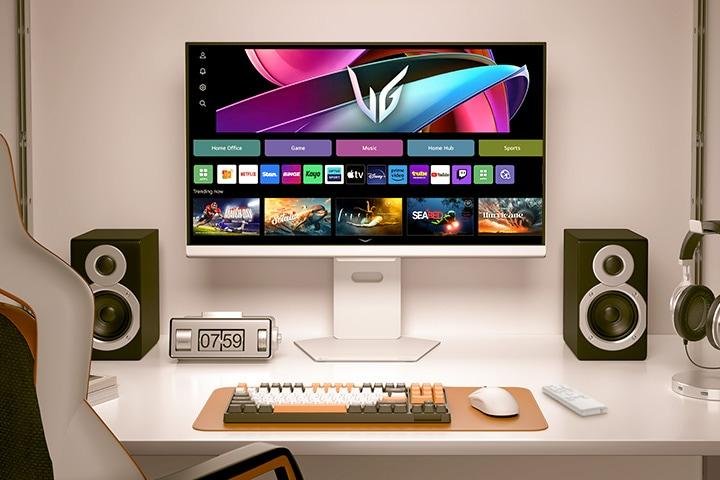
LG UltraGear 24-Inch 144Hz Gaming Monitor


Estimated Price: $150
Why It’s Great
This monitor provides:
- Smooth 144Hz gameplay
- Low input lag
- Excellent motion clarity
- Vibrant colors
- Great build quality
Competitive gamers especially benefit from high refresh rates in games like:
- Valorant
- CS2
- Fortnite
- Overwatch 2
Alternative Gaming Monitor Option
Lenovo Legion R24e Gaming Monitor


Estimated Price: $160
This is another excellent monitor offering:
- Fast refresh rate
- Great image quality
- Clean design
- Excellent value
Perfect for gamers wanting premium visuals without overspending.
Best Budget Gaming Keyboard and Mouse
Gaming peripherals matter more than many beginners realize. A responsive keyboard and precise mouse can improve gameplay significantly.
Best Budget Keyboard and Mouse Combo
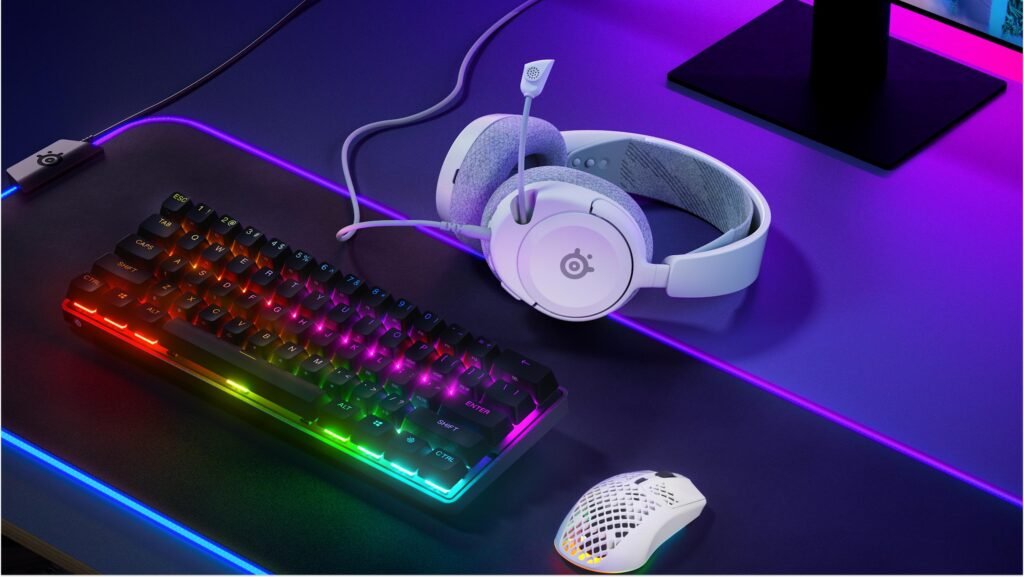
RGB Gaming Keyboard and Mouse Combo


Estimated Price: $45
Features
This combo offers:
- RGB lighting
- Comfortable keys
- Gaming mouse
- Durable build
- Budget-friendly pricing
It’s perfect for:
- Beginner gamers
- Casual players
- RGB setups
- Budget builds
Best Mechanical Keyboard Upgrade
Redragon Mechanical Gaming Keyboard


Estimated Price: $60
Mechanical keyboards provide:
- Faster response
- Better durability
- Improved typing feel
- More satisfying gameplay
This is one of the best upgrades you can make later.
Best Budget Gaming Headset
Good audio is essential for:
- Competitive awareness
- Multiplayer communication
- Immersion
- Streaming
Best Overall Budget Gaming Headset
HyperX Cloud Stinger 2


Estimated Price: $50
Why Gamers Love It
This headset offers:
- Comfortable earcups
- Clear microphone
- Good directional audio
- Lightweight design
- Excellent value
It’s ideal for:
- FPS games
- Discord voice chat
- Streaming
- Long gaming sessions
Best Budget Mouse Pad
Many gamers overlook mouse pads, but they dramatically improve precision and comfort.
Recommended Extended Gaming Mouse Pad
RGB Extended Gaming Mouse Pad


Estimated Price: $15
Benefits include:
- Smoother tracking
- Better mouse control
- Cleaner desk aesthetics
- More comfortable gaming
Best Budget Gaming Chair Alternative
Gaming chairs can be expensive. Instead, many budget gamers prefer ergonomic office chairs.
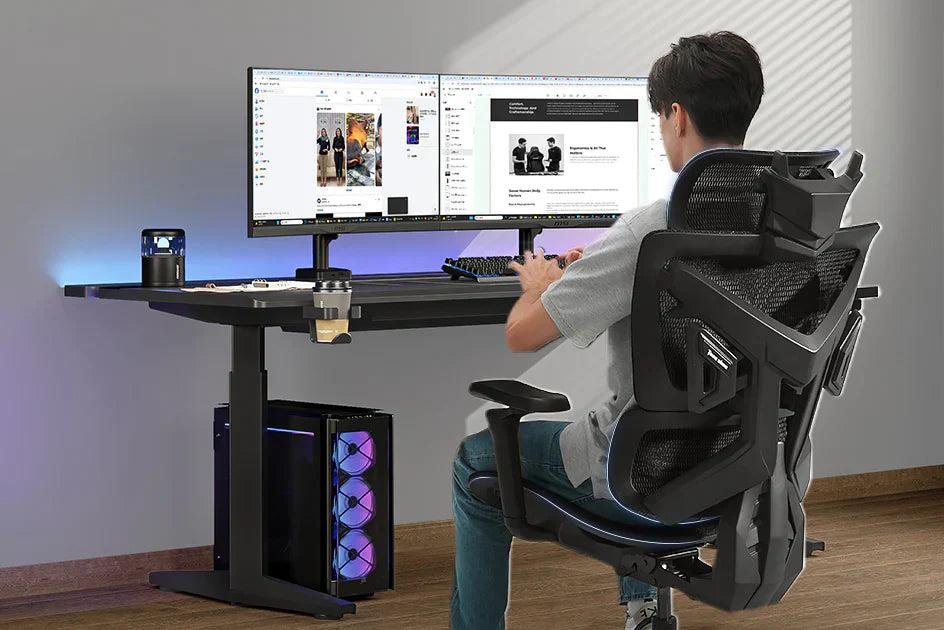
Recommended Ergonomic Chair
Budget Mesh Ergonomic Chair


Estimated Price: $90–$120
Why it’s better:
- Improved posture
- Better airflow
- More comfort during long sessions
- Better back support
Best Budget Gaming Desk Accessories
Accessories can transform a basic setup into an impressive battlestation.
Recommended Accessories
RGB LED Strip Lights


Estimated Price: $20
RGB lighting adds:
- Better room aesthetics
- Improved gaming atmosphere
- Cleaner visual appeal
Cable Management Accessories
Cable Management Kit


Estimated Price: $10–$15
Clean cable management makes your setup:
- Look more premium
- Easier to clean
- More organized
- Better for airflow
Full Budget Gaming Setup Cost Breakdown
| Component | Product | Price |
|---|---|---|
| Gaming PC | RTX 5060 Budget Build | $680 |
| Monitor | LG UltraGear 144Hz | $150 |
| Keyboard + Mouse | RGB Combo | $45 |
| Headset | HyperX Cloud Stinger 2 | $50 |
| Mouse Pad | Extended RGB Mouse Pad | $15 |
| RGB Lights | LED Strip Kit | $20 |
| Cable Management | Desk Accessories | $15 |
| | Total | ~$975 |
This keeps you comfortably under the $1,000 limit while still delivering a fantastic gaming experience.
Why 1080p Gaming Still Dominates in 2026
Many gamers assume 4K gaming is necessary, but 1080p remains the best value option because:
- Higher FPS
- Lower hardware requirements
- Cheaper monitors
- Better esports performance
- Lower latency
Even many competitive professional gamers still prefer 1080p high refresh rate monitors over expensive 4K displays.
Best Games for This Setup
This gaming setup is ideal for:
Competitive Games
- Valorant
- CS2
- Fortnite
- Apex Legends
- Rainbow Six Siege
AAA Games
- Cyberpunk 2077
- GTA VI
- Starfield
- Hogwarts Legacy
- Assassin’s Creed Shadows
Multiplayer Games
- Minecraft
- Rocket League
- Warzone
- Helldivers 2
Beginner Tips for Building a Gaming Setup
1. Prioritize Performance Over RGB
RGB lighting looks cool, but gaming performance matters more.
2. Always Use an SSD
Never buy a gaming PC with only an HDD in 2026.
SSDs dramatically improve:
- Boot times
- Game loading
- Overall responsiveness
3. Buy a Good Monitor
Your monitor often outlasts your PC upgrades.
A quality 144Hz display is one of the best investments you can make.
4. Keep Upgradeability in Mind
Choose components that allow:
- GPU upgrades
- More RAM
- Larger SSDs
- Better cooling
5. Don’t Overspend on Accessories Early
Start simple.
Upgrade later.
Focus on:
- PC performance
- Monitor quality
- Comfort
Future Upgrade Path
One advantage of this setup is flexibility.
Future upgrades could include:
- RTX 5070 GPU
- 32GB RAM
- 2TB SSD
- Mechanical keyboard
- Ultrawide monitor
- Streaming microphone
- Better cooling
This setup provides an excellent foundation for future expansion.
Final Verdict
A budget gaming setup under $1,000 in 2026 is more powerful than ever before.
With the right balance of:
- GPU performance
- Fast refresh rate monitor
- Reliable peripherals
- Smart budgeting
You can enjoy:
- Smooth competitive gaming
- Beautiful AAA visuals
- Excellent multitasking
- Great aesthetics
For most gamers, this budget range delivers the perfect combination of:
- Performance
- Affordability
- Longevity
- Upgradeability
You no longer need an expensive $2,000+ gaming rig to enjoy modern games at high settings.
A smartly built $1,000 setup can provide an incredible gaming experience for years to come.