

Discover the best AI tools for students and professionals in 2026 — research assistants, writing aids, code helpers, design & media generators, study apps, and productivity automations. Most have free tiers. Practical tips, prompt examples, and how to combine tools for real workflows.
TL;DR — Quick picks by need
- Best general-purpose chat assistant: ChatGPT (OpenAI) — excellent for brainstorming, drafting, and study Q&A. OpenAI.
- Best multimodal (text + images + search): Google Gemini (great for image/video tasks + research). Google.
- Best for long-form research on your own notes/PDFs: Notebook-style tools and context-aware readers (featured across student guides).
- Best coding assistants: GitHub Copilot and strong free alternatives like Codeium / Cursor for students. GitHub.
- Best writing & proofreading: Grammarly and Wordtune for polishing; Notion AI for drafting inside notes. Grammarly Notion.
- Best creative media: Canva for quick graphics, Runway and Descript for video/audio editing & generation. Canva Runway Descript.
Most of the tools listed have usable free tiers or free-for-students options in 2026 — we call out where paid upgrades help.

Why this list (short)
AI tools matured fast from 2023–2026. Instead of one “do-everything” app, the ecosystem now favors specialized, high-quality assistants (writing, code, research, media). This guide groups the best tools by real use case and shows how to combine them into workflows students and professionals can adopt immediately. Sources and recent reviews were used to make sure recommendations reflect tools that actually have free tiers or strong student discounts in 2026.
How to use this guide
- Skim the category that matches your primary need (study, writing, coding, design, audio/video, productivity).
- Each tool entry has: one-line summary, best-for, free-tier notes, one practical prompt or usage tip.
- At the end: 7 real workflows + FAQ + ethical & citation notes for academic use.

1) Research & Study Assistants (fast reading, summarizing, citing)
Why use AI for study?
AI saves hours on summarizing lectures, extracting key points from PDFs, generating flashcards, and creating structured study plans. Use AI to do the heavy lifting — then engage deeply with the results to learn.
Top picks
Notebook-style PDF Q&A tools (various providers) — Best-for: turning lecture slides & PDFs into an interactive tutor.
- Why: Load your syllabus or PDFs and ask direct questions, get citations to the page, and use generated flashcards for spaced repetition.
- Free notes: Many products offer a free tier with limited uploads or monthly page quotas. Use university email addresses to unlock student plans when available.
- Prompt tip: “Summarize chapter 3 into a 12-point study cheat-sheet, then create 20 Anki-style flashcards (Q/A).”
Search + short-answer assistants (Perplexity, Komo, etc.) — Best-for: fast facts and citations.
- Why: These tools combine web sources with LLM answers to produce concise answers with links — perfect for quick fact-checking before diving deeper.
- Free tier: Good for a limited number of queries per day. Use for brainstorming, not final citations.
2) Writing & Proofreading Tools (essays, reports, LinkedIn, emails)
Why use AI for writing?
Draft faster, polish grammar and tone, generate outlines, and adapt text for different audiences. For students: use AI to learn structure and clarify thinking, not to produce uncredited essays (see ethics section).
Top picks

ChatGPT (OpenAI) — Best-for: drafting, editing, ideation, and multi-step writing tasks.
- Free tier notes: ChatGPT Free allows many capabilities; Plus/Pro unlocks more advanced models and higher rate limits. Use the free tier for outlines and first drafts; upgrade only if you need longer context windows.
- Prompt tip: “Create a 1,200-word essay outline on [topic] with sources and a reading list; then write the introduction and two example paragraphs.”
Grammarly — Best-for: punctuation, tone, plagiarism checks, and clarity.
- Free tier notes: Free proofreading + clarity suggestions. Premium adds advanced rewriting and tone adjustments.
- Usage: Run final drafts through Grammarly to catch style and clarity issues.
Wordtune & Quillbot — Best-for: paraphrasing and concision.
- Free tier notes: Useful free limits; ideal when you want alternate phrasings or more concise sentences.
Notion AI (Notion) — Best-for: writing inside notes, project planning, and collaborative drafts.
- Why: If you already keep research in Notion, the AI features create instant summaries, action items, and meeting minutes. Great for student group projects.
Practical combo: Draft in ChatGPT → import to Notion for structuring → finalize in Grammarly.
3) Coding & Developer Tools (auto-complete, debugging, code review)
Why use AI for development?
Modern coding assistants speed up writing boilerplate, suggest fixes, and help you understand unfamiliar libraries — massive time savers when learning or shipping code.
Top picks
GitHub Copilot (GitHub) — Best-for: inline code suggestions inside VS Code and GitHub.
- Free tier notes: Students and verified academics may get free or discounted access via GitHub Student Pack; otherwise Copilot is subscription-based for heavy usage.
Free / low-cost alternatives: Codeium, Cursor, Tabnine, Replit Ghostwriter — Best-for: students who need strong free autocomplete and web-based coding.
- Why: Many of these give a generous free tier sufficient for learning and small projects. Check for GitHub Student Pack offers.

OpenAI Codex & agent tools — Best-for: automating multi-step dev tasks and coordinating “agents” for complex flows (test creation, refactors).
- Free notes: Some tools offer temporary free access or trial windows; check official announcements for current availability.
Prompt tip for debugging: “Here’s a failing pytest trace — explain the error in three short bullets, propose three fixes, and provide the smallest code change that will likely pass tests.”
4) Design, Images & Slide Decks
Why use AI for design?
Quickly produce presentation visuals, social graphics, and concept art. For students and professionals, this reduces design friction — you can iterate fast and make polished deliverables.
Top picks
Canva (Canva) — Best-for: fast, template-driven slide decks, posters, and social graphics.
- Free tier notes: Canva’s free tier is powerful with many templates and a built-in AI text & image generator. Pro adds brand kits and premium assets.

Ideogram / Midjourney / Stable Diffusion (various providers) — Best-for: easy concept images and artwork.
- Free tier notes: Many have limited free trials or community credits. Stable Diffusion-based services often let you run local models for free (with hardware constraints).
Prompt tip: “Create a clean, minimal slide cover image for ‘The Economics of Renewable Energy’ with muted blues, a stylized globe, and a 16:9 layout.”
5) Audio & Video (interviews, podcasts, presentation videos)
Why use AI for media?
Transcription, smart editing, auto-highlights, and generative video features make it simple to produce professional-looking media without expensive tools.
Top picks

Descript (Descript) — Best-for: transcript-first audio editing (podcasts, interview clips).
- Free tier notes: Free plan includes basics and limited transcription minutes. Pro features (studio sound, filler word removal) are paid.
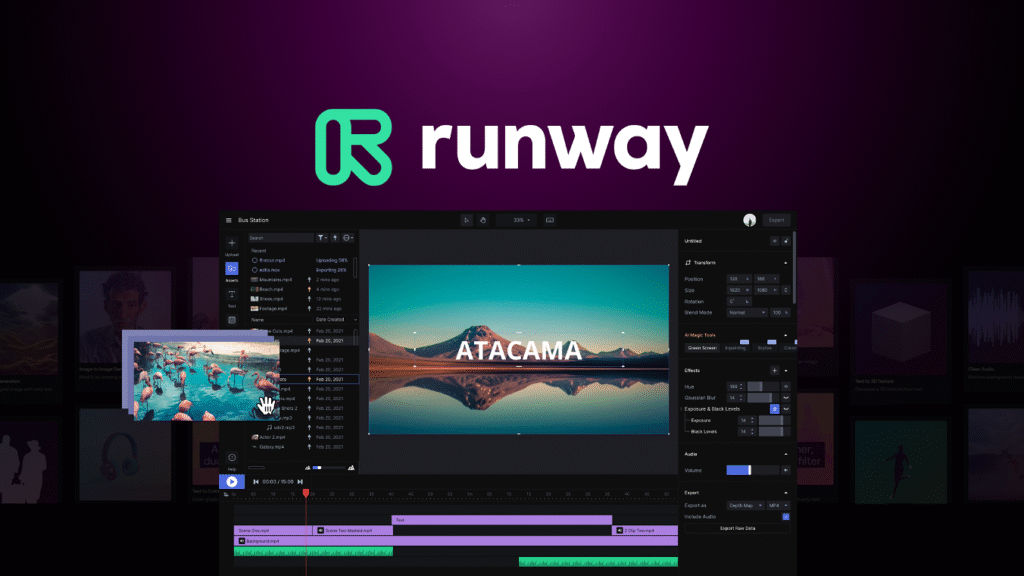
Runway (Runway) — Best-for: AI-powered video editing and generative video.
- Free tier notes: Trial credits often provided; ongoing free tiers give limited renders per month. Great for social clips and quick demos.
Otter / Sonix — Best-for: fast, accurate transcriptions for lectures and interviews. Free tiers include monthly minutes.
Practical workflow: Record lecture audio → upload to Descript/Otter → auto-transcribe → edit by editing text → export polished MP3 + captions.
6) Productivity & Automation (notes, calendar, tasks, agents)
Why use AI for productivity?
AI automates repetitive tasks (summaries, scheduling, email drafts) so you spend more time on strategic work.
Top picks
Zapier + Zapier Agents — Best-for: connecting apps and building triggers based on LLM outputs.
- Why: Automate repetitive processes across Google Drive, Slack, Notion, email, and more. Good for project management and paper workflows.
AI agents (platform-native agents) — Best-for: complex multi-step automations (research + summarize weekly, file organization). Examples include built-in agents inside code editors, and vendor-specific “agent” tools. New agent features arrived widely in 2025–2026.
Calendar + email assistants (built-in to major providers) — Best-for: triaging email, drafting replies, and suggesting meeting agendas.
7) Specialty tools students should know about
- Citation helpers & bibliography generators: Generate formatted APA/MLA/Chicago citations from DOIs and links. Use with caution — verify sources.
- Flashcard & spaced repetition generators: Many notebook-AI tools export Anki or Quizlet decks directly. Great for exam prep.
- Exam practice & mock interview AI: Tools that generate practice questions and simulate viva or interview scenarios. Use as an additional practice layer — not a replacement for human feedback.
How to pick the right tool for you
- Define one clear task (write an outline, debug a failing test, summarize a chapter).
- Choose one specialized tool for that task — the specialist will generally outperform a generic assistant.
- Use a “glue” tool (Notion, Google Docs, or Zapier) to stitch outputs together into your workflow.
- Validate outputs: especially for academic work, always verify facts and add citations.
7 Practical workflows (real-world, step-by-step)
Workflow A — Research paper (student)
- Upload PDFs to a notebook-AI and ask for chapter summaries.
- Use ChatGPT to create a working outline and suggest key citations (then verify sources yourself).
- Draft sections in Notion AI for collaborative comments.
- Proof in Grammarly.
Workflow B — Product demo video (professional)
- Script in ChatGPT → import script to Descript for transcript-first editing.
- Use Runway for generative B-roll or background removal.
- Polish voice & export.
Workflow C — Learning a new library quickly (developer)
- Ask ChatGPT/Claude for a minimal example and explanation.
- Use GitHub Copilot or Codeium inside your editor for inline suggestions.
Pricing snapshot & student discounts (general guidance)
- Many major tools keep useful free tiers (limited queries, minutes, or context). DataCamp’s 2026 roundup lists dozens of high-quality free tools across categories.
- Students: always try university-affiliated discounts and GitHub Student Pack bundles. Some paid products give extended trials or full access to students. Check product pages for verification.
Ethics, plagiarism & academic integrity
Using AI responsibly is non-negotiable:
- Students: AI should help you learn, not cheat. Use AI for drafts, summaries, and feedback — but produce original analysis and cite when required by your institution. Many universities now have clear policies about AI; follow them.
- Professionals: When AI contributes significant content to a deliverable, disclose usage per company policy. Double-check facts and regulatory claims.
- Attribution: If AI generated unique phrasing or analysis, treat it like a tool — cite sources, and when in doubt, mention that AI assisted.
Prompts that actually work (copy-paste & adapt)
For summaries:
“Read this text (paste) and produce a 300-word executive summary with 5 bullet takeaways and 3 suggested further readings.”
For coding help:
“I have this failing test (paste). Explain in plain English what the error is, give two likely causes, and provide a patch with minimal changes.”
For slides:
“Create a 10-slide outline for a talk about [topic]. For each slide, give a headline, 4 bullet points, and a suggestion for a visual.”
For interviews / viva practice:
“Act as an interviewer for [subject]. Ask 12 progressively harder questions and evaluate my sample answer (I will paste).”
Quick comparison table (at-a-glance)
| Need | Top free-friendly options | Why |
|---|---|---|
| Drafting essays & brainstorming | ChatGPT, Notion AI | Strong long-form drafting + collaborative editing. |
| Proofreading & tone | Grammarly, Wordtune | Fast, reliable grammar & clarity fixes. |
| Coding | Codeium, Cursor, GitHub Copilot | Inline suggestions, free alternatives exist for learners. |
| Images & slides | Canva, Ideogram, Stable Diffusion | Templates + image gen. |
| Audio/Video | Descript, Runway, Otter | Transcription-first editing & generative video. |
| Automation | Zapier, platform agents | Connects apps and builds workflows. |
10 Quick tips to get the most from AI (for students & pros)
- Be specific in prompts — include length, tone, audience.
- Break big tasks into steps — ask the AI to produce an outline first.
- Use multiple tools — one for drafting, one for editing, one for final polish.
- Keep a human-in-the-loop — verify facts and logical steps.
- Save prompts that work — they become templates.
- Protect privacy — remove personally identifying data before uploading documents.
- Use student email for discounts.
- Prefer specialist tools for specialized tasks (coding, citations, media).
- Export intermediate artifacts (transcripts, flashcards) for future revision.
- Log outputs + sources to make final attribution easy.
FAQ
Q: Are these tools safe to use with university assignments?
A: Check your institution’s AI policy. Use AI for drafting and revision, but make sure your submitted work represents your own analysis and that you disclose any required AI assistance.
Q: Will AI replace students’ jobs?
A: No — AI amplifies productivity but doesn’t replace the need for critical thinking, creativity, and domain expertise.
Q: Which tools are fully free?
A: Very few are fully free; most have generous free tiers. The best strategy is to combine free tiers: e.g., use ChatGPT free for drafting, Grammarly free for proofreading, and Descript/Runway trial minutes for media.
Sources & further reading (selected)
- “The 38 Best Free AI Tools in 2026: A Complete Guide” — DataCamp (2026).
- “Best AI Tools for Students 2026: Guide to Smarter Studying” — monday.com (Jan 2026).
- “The best AI productivity tools” — Zapier (productivity roundup).
- “12 best AI content generation tools in 2026” — Netlify guide.
- “Best AI Coding Assistants 2026 (I Tested 10+)” — PlayCode blog.
Final notes — a quick starter plan (use in the next 7 days)
- Day 1: Pick one tool from Research and one from Writing. Practice summarizing a 10-page PDF and creating an outline.
- Day 3: Draft an essay or project section, run it through Grammarly, and revise.
- Day 5: Try a coding assistant for a small project; compare outputs from two tools.
- Day 7: Build a small automation (e.g., weekly summary emailed to you) with Zapier or built-in agents.